Laptop Buying Guide 2026: How to Choose the Best Laptop in Kanchipuram by Price, RAM, Storage & Brand
Searching for the best laptop under your budget and getting lost between i3, i5, i7, 8GB vs 16GB RAM, and SSD vs HDD? You're not alone - most laptop screens throw a wall of specs at you without explaining what any of it means for your day-to-day use. This guide breaks it down by the four things that actually decide whether a laptop fits you: your budget, your RAM, your storage, and the brand that matches how you'll use and support it - whether you're a student, a working professional, a gamer, or running a business.
Quick Facts
- Current online brands listed: Apple, Dell, HP, Lenovo and Samsung
- RAM options: 8GB and 16GB listed online, with gaming/creator models available in higher-performance configurations
- Storage: 256GB, 512GB and 1TB SSD - no laptop at Darling Retail uses a mechanical hard drive
- Current online price range: ₹49,100 for everyday-use laptops up to ₹1,40,990 for high-performance gaming laptops
- Availability note: Information based on current Darling Retail laptop listings and showroom availability. Prices and stock may change by branch and offer period.
Identify your usage first, then match specs to it. Casual browsing and office work needs 8GB RAM and a 256–512GB SSD. Business, data and multitasking work needs 16GB RAM and 512GB–1TB SSD. Gaming, coding and content creation needs 16–32GB RAM, 1TB SSD, and a dedicated graphics card. Apple, HP, Dell, Lenovo and Samsung each lead in a different area - pick based on what you value, not just the badge on the lid. Darling Retail has been serving customers across Tamil Nadu and Kanchipuram for 39 years, and currently lists 25 laptop models online across Apple, Dell, HP, Lenovo and Samsung, with EMI options and in-person testing at 185+ showrooms across Tamil Nadu and Pondicherry.
Buying a Laptop Shouldn't Feel Like Reading a Spec Sheet in a Foreign Language
Walk into any electronics store and you'll be shown a wall of laptops with numbers stacked on top of each other: Intel Core i5, 16GB, 512GB SSD, 2GB Graphics. It's overwhelming if you don't know what you're solving for - and it's the reason "which laptop should I buy," "how to choose a laptop," and "best laptop brand in India" are some of the most searched questions in electronics shopping.
The absolute golden rule when buying a laptop is simple: identify your exact usage first, then work backwards into the specs. The best laptop for a college student streaming lectures and writing assignments is wildly overpowered - or underpowered - for a video editor or a Tally-heavy accountant. Below, we break this down by the four decisions that actually matter: price, RAM, storage and brand.
Step 1: Set Your Budget First
Price is the filter that narrows everything else. If you've been searching for the best laptop under 50000, best laptop under 60000, best laptop under 70000, best laptop under 80000, or even the best laptop under 1 lakh, here's roughly how those budgets map to what you'll actually get in the current Darling Retail lineup. And if you're simply after the cheapest laptop online or a full laptop price list for 2026, the same table is a good starting filter:
| Budget Band | What You Typically Get | Best For |
|---|---|---|
| Under ₹55,000 | Intel i3 / Ryzen 3, 8GB RAM, 512GB SSD | Browsing, streaming, office documents, students |
| ₹55,000 – ₹80,000 | Intel i5 / Ryzen 5 or Core 5, 16GB RAM, 512GB SSD, or entry MacBook (8GB+256GB) | Business use, Excel-heavy work, multitasking, first MacBook buyers |
| ₹80,000 – ₹1,10,000 | Intel i7, 16GB RAM, 512GB SSD, entry dedicated graphics (RTX 3050) | Coders, light creators, entry gaming |
| ₹1,10,000+ | Intel i7 / Core Ultra 7, 16GB RAM, 1TB SSD, RTX 4050/5050 class graphics | Serious gaming, 4K editing, ML/rendering workloads |
For reference, current Darling Retail laptop listings start from the Lenovo IdeaPad Slim 3 at ₹49,100 and go up to high-performance gaming models like the Lenovo LOQ 14th Gen Intel Core i7 with RTX 5050 at ₹1,40,990. Most everyday, student and professional needs are covered well before you cross six figures. Ask in-store about laptop EMI offers, bank offers and showroom-level availability if you want to stretch that budget further.
Current Darling Retail Laptop Examples with Prices in Kanchipuram
Information based on current Darling Retail laptop listings and showroom availability. Prices, offers and branch-level stock can change, so use these examples as a buying guide and confirm the final selling price at your nearest Darling Retail showroom in Kanchipuram or on the product page before purchase.

Apple MacBook Neo 13 inch Blush
A18 Pro chip, 8GB RAM, 256GB SSD

Lenovo IdeaPad Slim 3 13th Gen
Intel Core i3, 8GB RAM, 512GB SSD

Dell 15 Core i5 13th Gen Silver
Intel Core i5, 16GB RAM, 512GB SSD

Dell G15 Gaming Laptop 15.6 inch
Core i5-13450HX, 16GB RAM, RTX 3050 6GB

Lenovo LOQ Gaming RTX 4050
Core i5-13450HX, 16GB RAM, RTX 4050 6GB

Samsung Galaxy Book4 Core 5
Intel Core 5, 16GB RAM, 512GB SSD
Step 2: How Much RAM Do You Actually Need?
RAM is your laptop's short-term working memory - it decides how many browser tabs, apps and background processes you can run at once before things start to lag. The "8GB vs 16GB RAM laptop" question is one of the most common ones we get in-store, and here's the simplest way to think about it for 2026:
| RAM | Good For | Where It Struggles |
|---|---|---|
| 8GB | Browsing, streaming, email, light MS Office/Google Workspace use | Many tabs + Zoom + Office open together; feels tight within 2–3 years |
| 16GB | Business multitasking, large Excel files, multiple apps, light photo editing | Heavy video editing, large local databases, running virtual machines |
| 32GB | 4K video editing, coding with multiple environments, 3D rendering, AAA gaming | Rarely a bottleneck at this level - the CPU/GPU becomes the limit instead |
If you're unsure, 16GB is the safer baseline for a laptop you plan to keep for 3–4 years - it costs a little more upfront but avoids the sluggishness that catches up with 8GB machines once app updates and browser tabs pile on.
Step 3: SSD vs HDD - Pick the Right Storage
Every laptop Darling Retail sells uses SSD storage rather than an older mechanical hard drive (HDD), so you don't need to worry about the SSD vs HDD debate here - SSDs are simply faster to boot, load apps and transfer files. The only real decision left is capacity: 256GB, 512GB or 1TB.
| Storage | Realistic Use |
|---|---|
| 256GB | Fine if you lean on cloud storage (Google Drive, OneDrive) and don't keep large local video/photo libraries |
| 512GB | The sweet spot for most buyers - comfortably fits the OS, apps, and a few years of documents, photos and downloads |
| 1TB | Worth it if you edit video locally, manage large project files, install several modern games, or keep offline databases |
Quick Hardware Blueprint: Match Your Needs
| Usage Category | Ideal Processor | Required RAM | Ideal Storage (SSD) | Graphics Requirement |
|---|---|---|---|---|
| Basic / Casual | Intel i3 / Ryzen 3 | 8 GB | 256 GB – 512 GB | Integrated Graphics |
| Business / Data | Intel i5 / Ryzen 5 | 16 GB | 512 GB – 1 TB | Integrated / 4GB Dedicated |
| Gaming / Creators | Intel Core i7 / Core Ultra 7 / Ryzen 7 | 32 GB | 1 TB Minimum | Dedicated 6 GB+ VRAM |
Best Laptop by Use Case
Best Laptop for Students & Everyday Use: Entertainment, Browsing & Office Tasks
If your laptop habits revolve around streaming movies, browsing social media, checking email or handling lightweight Office/Google Workspace documents, you don't need to overspend on high-end hardware. This is also the sweet spot for students, online classes and work-from-home setups, typically somewhere under ₹55,000. A long battery life laptop with a backlit keyboard is a nice bonus here too, for evening study sessions or working after dark.
- Processor: Intel Core i3 or AMD Ryzen 3 - handles casual multitasking without lagging
- RAM: 8GB is the perfect baseline for smooth browser-tab performance
- Storage: 256GB SSD is standard; 512GB gives breathing room for movies and photos
- Graphics: Integrated Graphics (Intel UHD/Iris Xe or AMD Radeon) - perfect for full-HD video, no extra maintenance
Best Laptop for Office & Business Use: Productivity & Data Analysis
Working professionals, business owners and students handling large Excel files, data analysis, Tally and accounting work, or several heavy apps at once need a snappier machine built for sustained productivity. If you're also carrying the laptop between meetings, it's worth looking at the thin and light options in this range rather than the bulkier everyday models.
- Processor: Intel Core i5 or AMD Ryzen 5 - extra multi-core power to crunch data efficiently
- RAM: 16GB is highly recommended to prevent app crashes and enable seamless multitasking
- Storage: 512GB SSD is the sweet spot; opt for 1TB if you manage heavy local databases or offline archives
- Graphics: Integrated handles 90% of business tasks; for basic 3D charts or light design work, look for a 2GB–4GB dedicated card
Best Laptop for Gaming, Coding & Content Creation
Rendering 4K video, compiling large codebases, running virtual environments, editing photos for graphic design work, or playing AAA titles at high frame rates - this tier is for power users, including engineering students running AutoCAD and anyone working through a coding bootcamp curriculum, where cutting corners on specs isn't an option.
- Processor: Intel Core i7, i9, or AMD Ryzen 7, 9 - maximum-performance chips for heavy workloads
- RAM: 32GB ensures a fluid, stutter-free experience while rendering or handling complex logic
- Storage: Minimum 1TB NVMe SSD for software tools, project cache files and modern games
- Graphics: A dedicated 6GB or 8GB card (such as NVIDIA RTX series) to push pixels and accelerate ML or render times
Why Buy Your Laptop at Darling Retail in Kanchipuram
Anyone can sell you a laptop. What matters is what happens after you buy it - honest advice, real testing, and someone to talk to if anything goes wrong. Darling Retail has been serving customers across Tamil Nadu and Kanchipuram for 39 years, and here's what that experience gets you compared to an anonymous online listing - whether you're searching for an authorized laptop dealer in Tamil Nadu, a laptop shop near you, or simply the best place to buy a laptop online in Tamil Nadu:
Test Before You Buy
Try the keyboard, screen, trackpad and speakers in person at your nearest showroom - no unboxing surprises.
Expert, No-Pressure Guidance
Our showroom staff will talk you through RAM, storage and brand trade-offs for your exact use case - not just the model with the best margin.
Easy EMI Options
Low-interest and no-cost EMI schemes available in-store, so you don't have to pay the full price upfront.
39 Years, 185+ Showrooms
Nearly four decades serving Tamil Nadu & Pondicherry means after-sales and service-related questions go to a real person nearby - not only a call-centre ticket number.
| Category | Buying Online or Unbranded Stores | Buying at Darling Retail in Kanchipuram |
|---|---|---|
| Testing before purchase | Sealed box, no physical check | Test the keyboard, screen and trackpad in person before you buy |
| Spec guidance | Self-service filters and reviews | Talk to a real product expert about RAM, storage and brand trade-offs for your exact use case |
| Payment | Varies by platform | EMI schemes available in-store |
| After-sales help | Courier-based support can feel slow or unclear | A showroom team you can return to for product guidance and support direction |
| Local accountability | Call centre, ticket number | 39 years in business, with a showroom near you across Tamil Nadu & Pondicherry, including Chennai, Coimbatore, Madurai and Trichy |
Frequently Asked Questions
Darling Retail Laptop Store Map Locations in Kanchipuram
Want to test a laptop before buying? Use the map below or open a nearby Darling Retail location on Google Maps before visiting. Laptop stock, colour, RAM, storage and offers can vary by showroom, so call or WhatsApp the store team to confirm availability for your preferred model.
View All Darling Retail Store Locations →
Useful Links
Kancheepuram
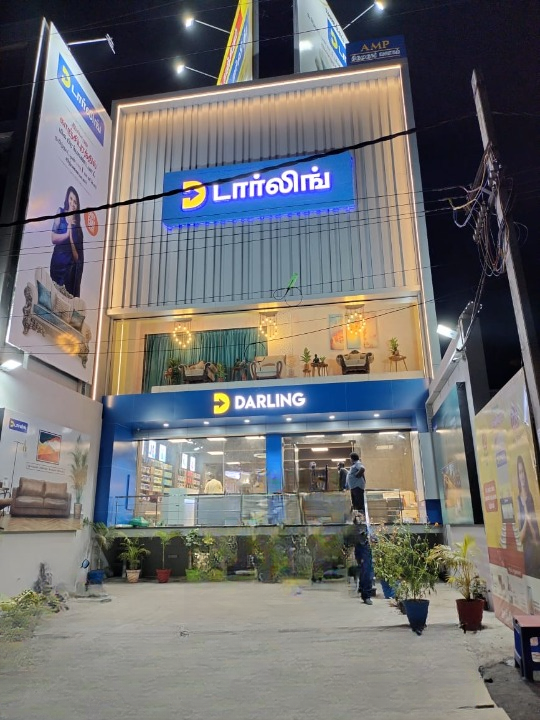
Kelambakkam

Kundrathur
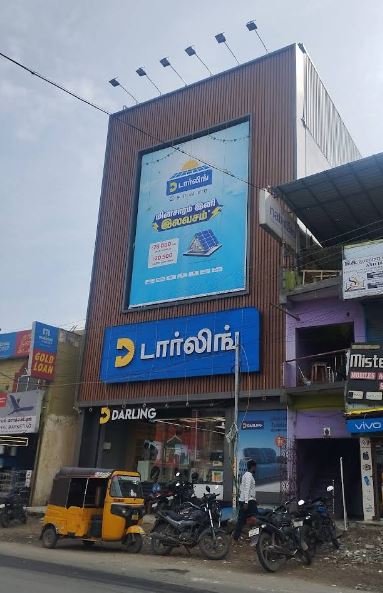
Utthiramerur